Users and Roles
User
Each person having an account in WordPress is called a User. You need to have a user account in order to be able to manage a WordPress site.
User Profile screen
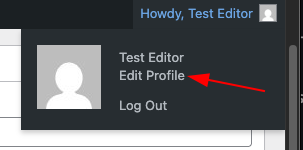
You can edit your user account information on the User Profile screen. To Edit your profile, find your name in the top toolbar (top right), and click the Edit profile link from the drop-down.
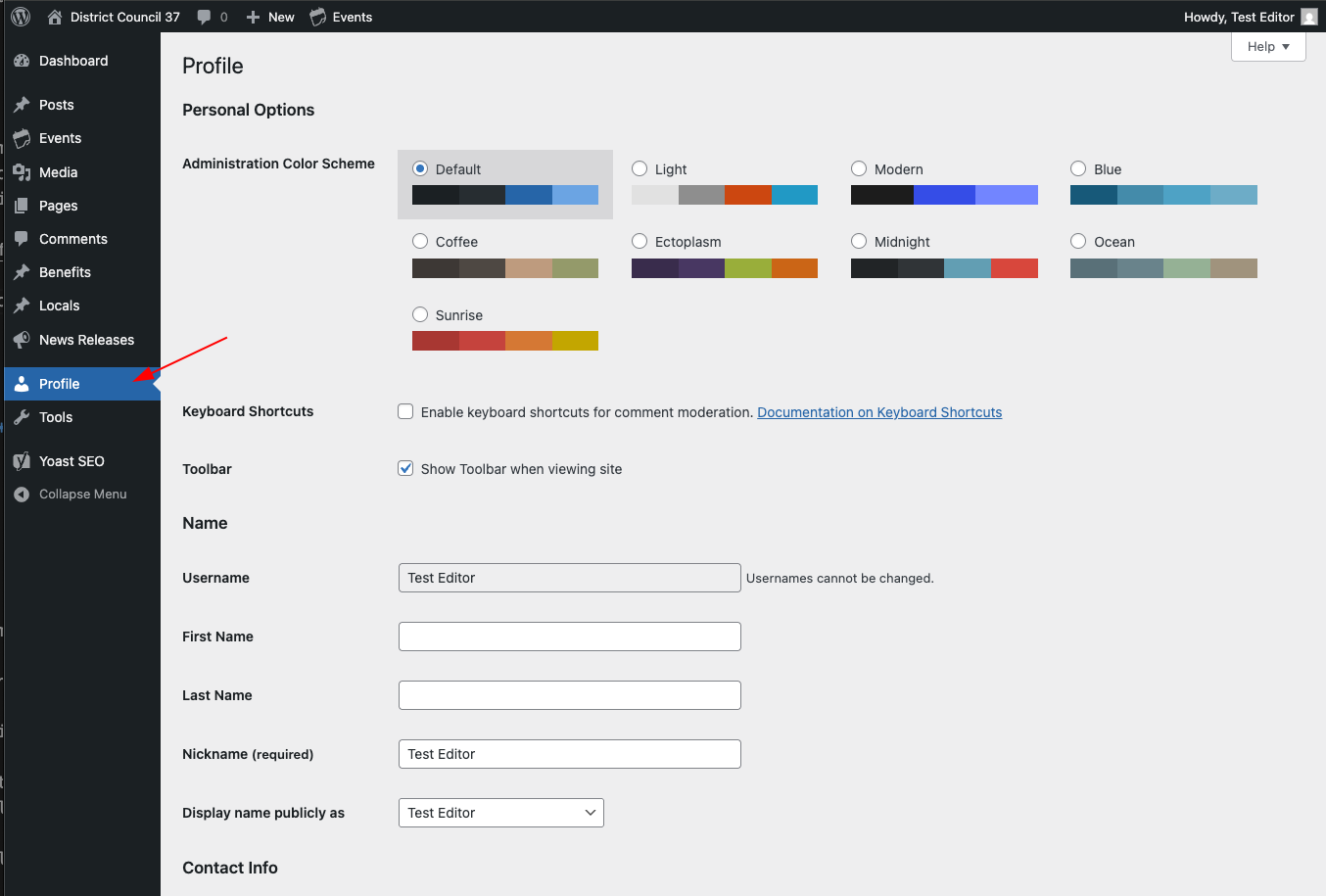
You can also go to the Profile section of the left side admin menu panel.
Read more: Users Your Profile screen - WordPress documentation
Roles
Each User is assigned with a Role, which defines the permissions of what they can do or access in the site and admin dashboard.
WordPress built-in roles
| role | description |
|---|---|
| Administrator | All-powerful, can manage both content and site configuration |
| Editor | Full control of the content of the website, can edit anyone’s posts. |
| Author | can write, edit, and publish their own posts, but not those of others |
| Contributor | can add new posts but not publish them (must be published by a user with a higher role) |
| Subscriber | no permissions except editing their own profile - generally used only if you allow public registrations (i.e. for commenting) |
Custom roles
The following custom roles are also available:
| role | description |
|---|---|
| Site Manager | Custom role for DC 37 - based on Editor, but adds capability to edit theme options, enables menu editing in block editor. |
| SEO Editor | Gives access to the advanced SEO metadata features of the Yoast SEO plugin. |
| SEO Manager | Grants all SEO capabilities, including full access to the Yoast SEO plugin settings and features. |
Further reference
To learn more about users and roles, see the Roles and Capabilities page in the official WordPress documentation.