Interface Tours
Admin Dashboard Layout
Once you successfully log in, you will be brought to the admin Dashboard page.
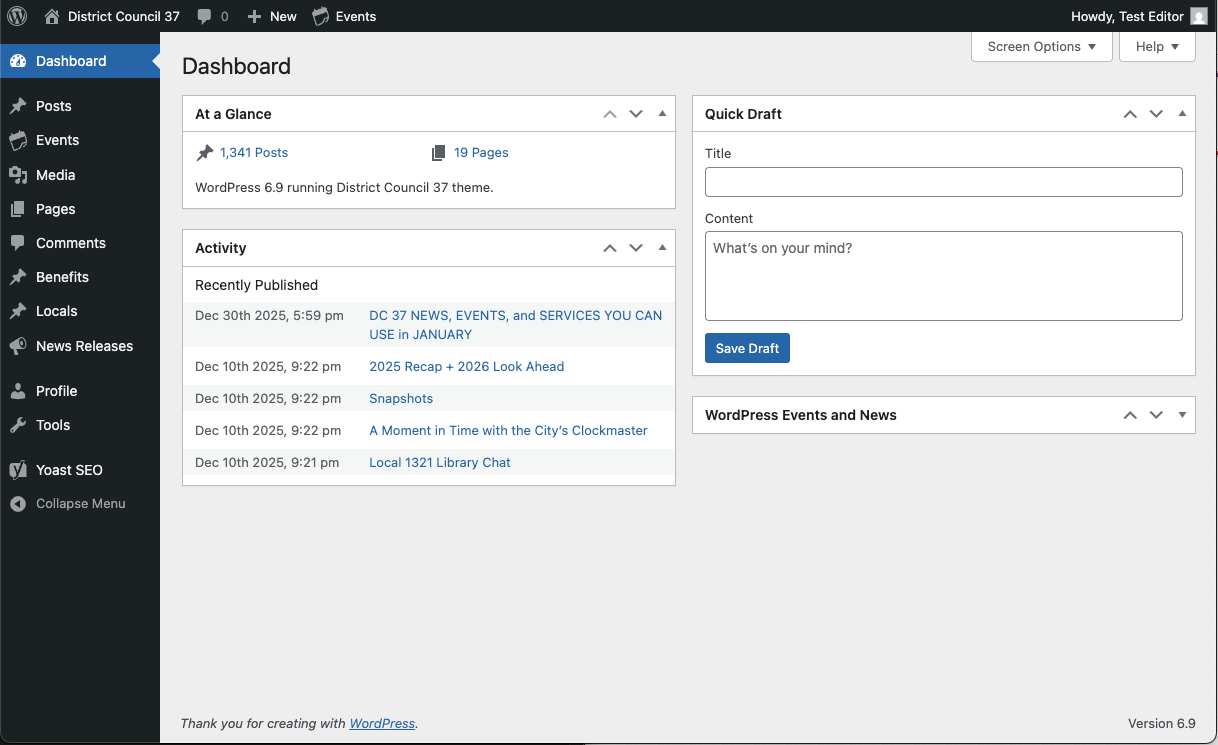
The Dashboard has this general layout throughout most of the admin:
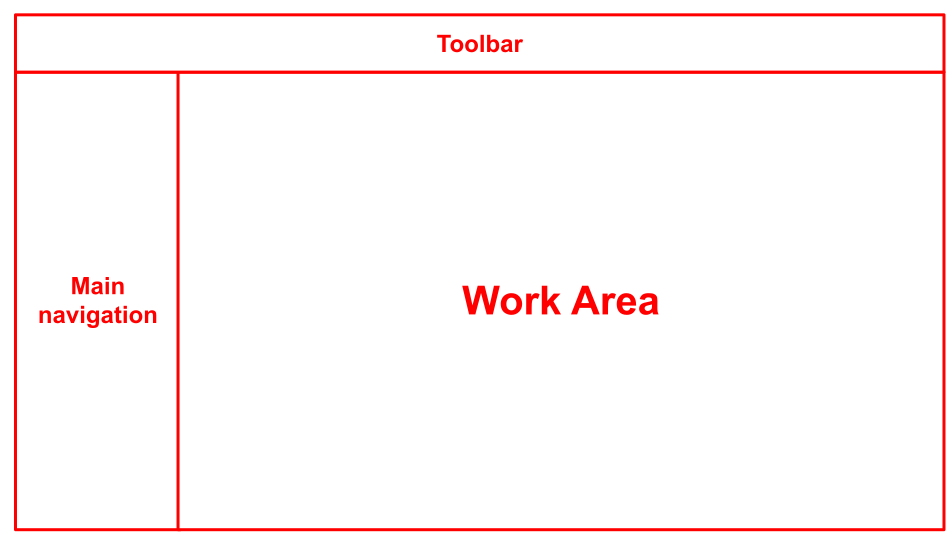
Each Administration Screen is presented in sections: the toolbar, the main navigation, and the work area, where the content of each of the admin screens will appear.
Read more: Administration Screens (WordPress documentation guides)
Block editor layout
Read more: WordPress Block Editor
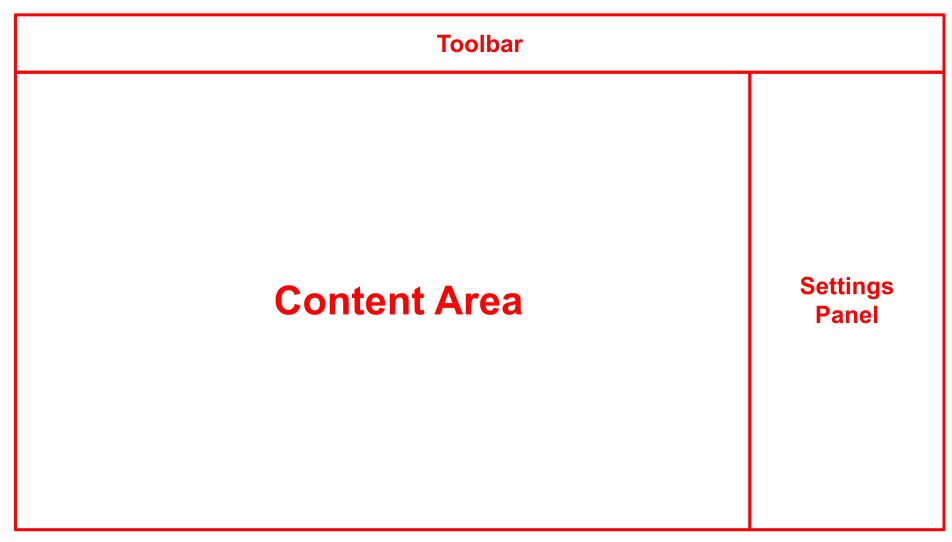
The WordPress block editor workspace has three main sections:
- the top Toolbar
- the sidebar with the post/page settings and the block settings
- the content area - where you will make the edits to your content.
We'll cover this more in the Block Editor section.